
Choose your data
Choose a project with the data you want to review. Start with one area of your business, such as revenue, inventory, or operations.- Use connected data
- Try it with a file
Use a project whose catalog contains the relevant tables or views. Check when the data refreshes so you can schedule the workflow after new data is available.
Describe the workflow
Open Workflows → New workflow → Create with Addison and describe what you want:Every morning at 8 a.m. Pacific, review yesterday’s sales and gross margin against plan. Investigate the biggest variances by region and product, and summarize what the finance team should look into.You can choose a weekly or monthly schedule, or ask for a particular output, such as a report or HTML page. Start with the task you need done; refine the comparisons, business definitions, and format as you review the result. Addison helps build the workflow and the playbook it runs. The playbook holds the instructions for the analysis; the workflow adds the schedule and delivery. You don’t need to create either one by hand.
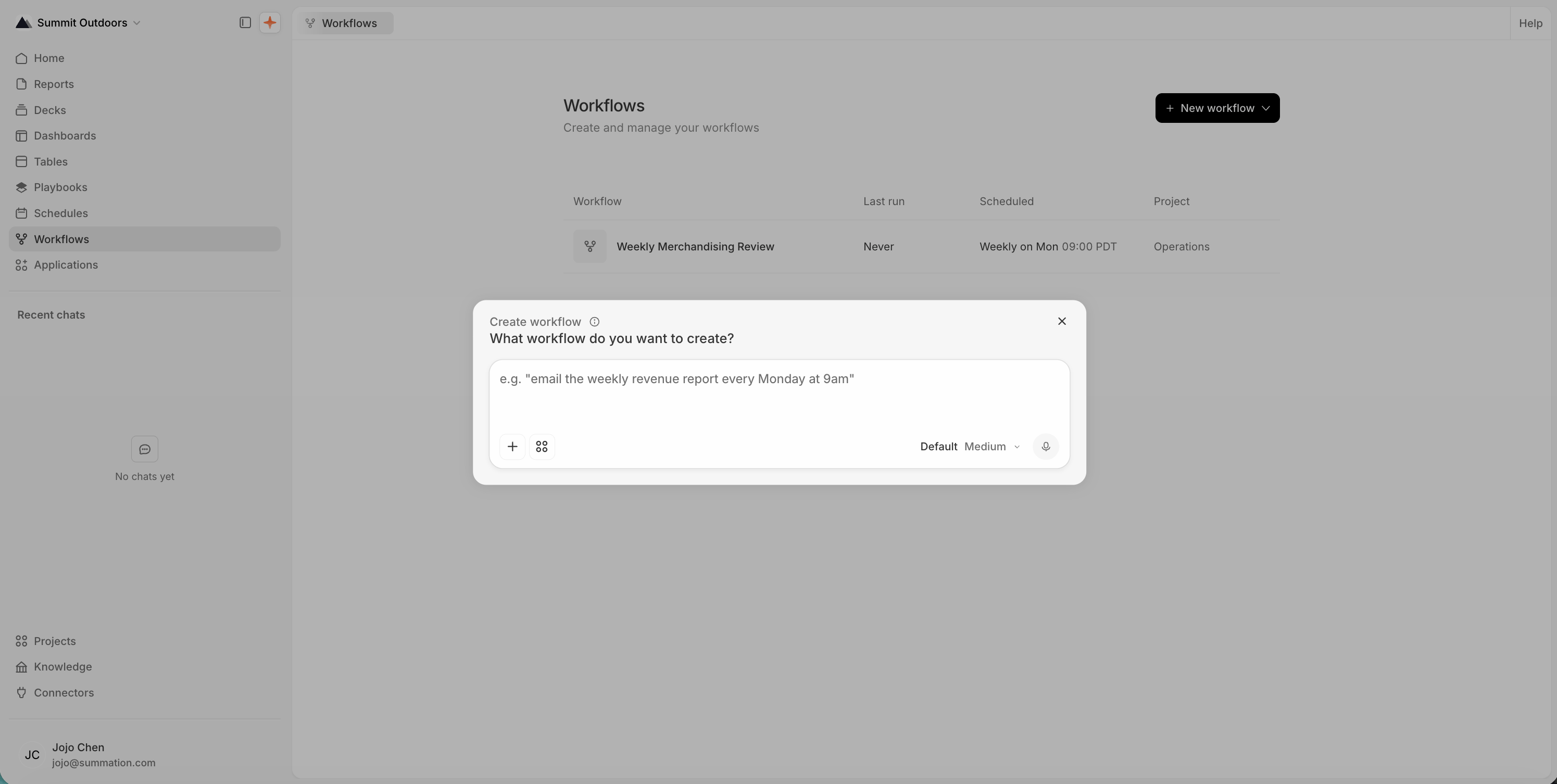
Describing the workflow to Addison
Test it and confirm the schedule
Review the workflow Addison creates. Check that it uses the right project, schedule, and timezone. If it includes delivery, check the recipients too.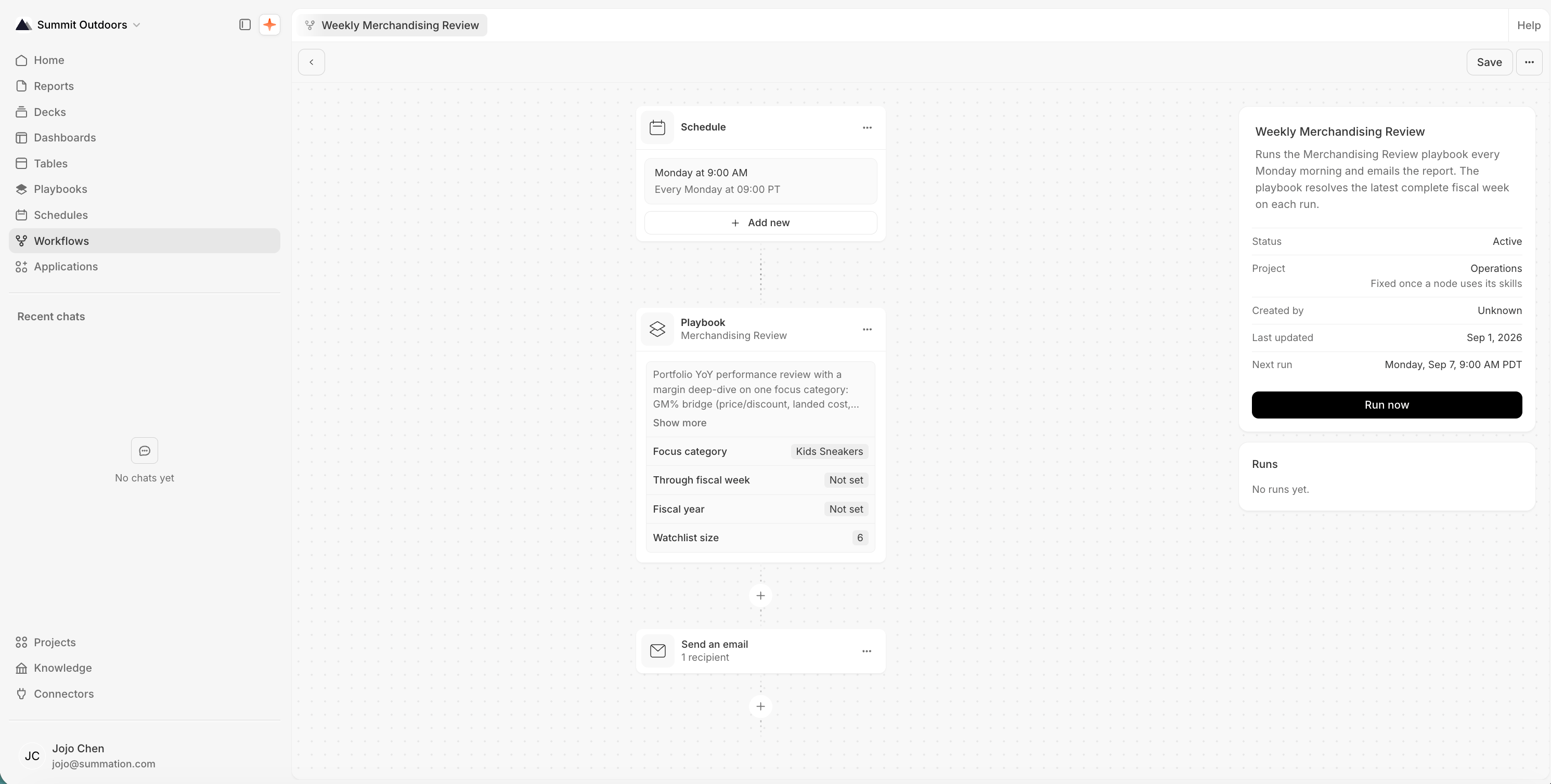
A workflow ready to run, with its schedule and next run time
Show sales net of returns, and separate margin changes caused by product mix from changes in product margins. Put the largest dollar variances first.Update the playbook instructions for future runs, then test again. Editing one output alone doesn’t change what the workflow will do next time.
Saving a complete draft marks the workflow Active. Saving doesn’t start a run immediately, but an enabled schedule will run at its configured times. Review these settings before saving, and check Next run to confirm when the workflow will run.
Next
Get verified insights
Investigate a question and check the evidence behind the answer.
Automate recurring work
Go deeper on reusable instructions, testing, and delivery.