
What you can do
- Edit rows directly in the grid: add, update, and delete.
- Add columns of any type (Text, Integer, Number, Date, Boolean), plus SQL / computed columns and Dimension columns that reference a dimension table.
- Mark one column as the table’s key with the Set as key radio in the grid. The
primary_keyis shown read-only, and “business keys” is only a backend parameter on the upsert path, so neither is set here.
Create a data table
On the Tables page, click Create → Data Table. You land on the table’s grid, where the + Add column menu adds typed or computed columns and you enter rows.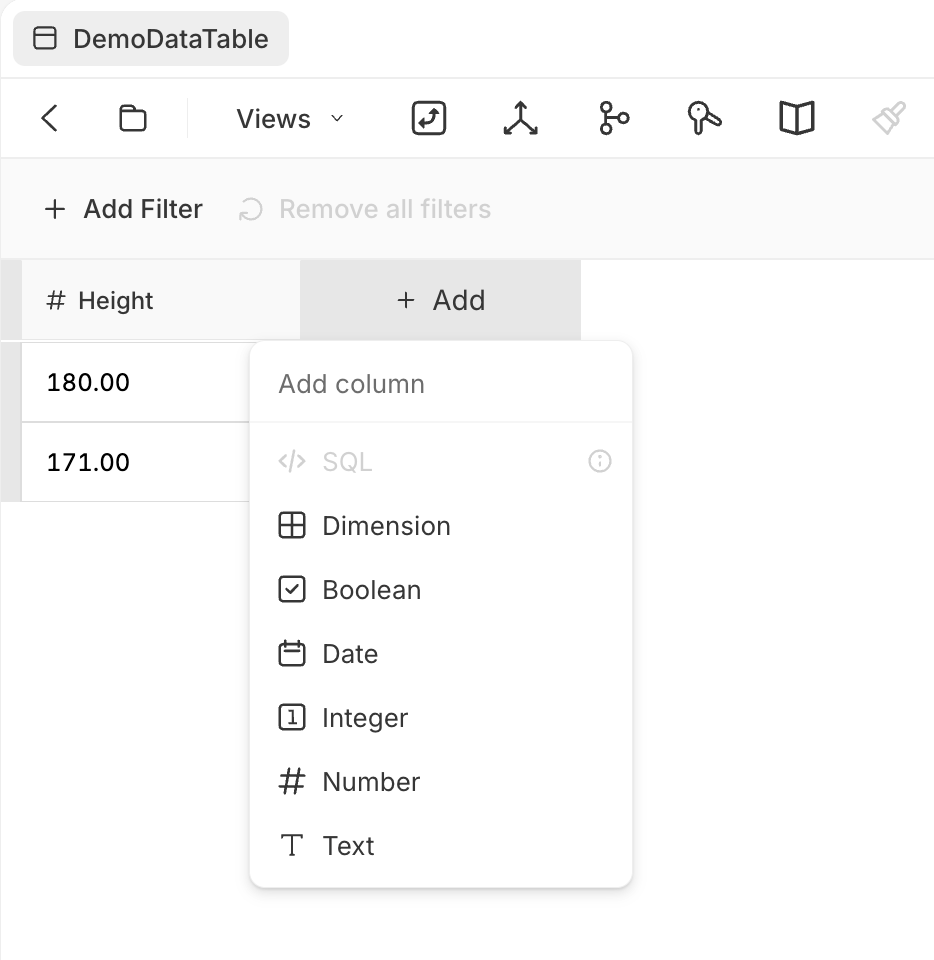
Adding a column to a data table